How a small agency tracks client renewals without a CRM
A six-person studio, six retainers and one renewal date that almost slipped. Here's how a small agency keeps every renewal on one table, gets reminded early, and walks into the call ready.
It's the middle of November. You open the books to plan December and see a retainer ends next Friday. Nobody has talked to that client about next year. The person who owns the account is on leave until Monday.
You didn't drop the ball. The date was never anywhere you'd see it. It sat in a signed PDF, in last year's invoice, and in one person's head.
This is how a small studio we'll call Northwind keeps its renewals in view. Six people, six clients, monthly retainers between $950 and $4,200. No sales team and no CRM.
Where the renewal date actually lives
Ask an agency owner when their biggest client renews and most will go quiet for a second. One person on X put the test plainly: can you name the renewal date on your biggest contract, and do you know how much notice it needs? Miss the window and the old terms just roll over.
Another put the same pain from the client's side: when a renewal call comes in, the history is rarely missing. It's scattered across email, a spreadsheet and someone's memory.

The usual fixes each solve half of it:
- A spreadsheet holds the date, but it never taps you on the shoulder. It's only as fresh as the last time someone remembered to open it.
- Calendar reminders fire on time, but they don't know the notes from last month's call or what you promised.
- A full CRM does all of it, but it's built for a sales pipeline with dozens of deals. HubSpot is free for up to 2 users and then charges per seat. For six retainers, it's a lot of tool.
Why it bites in December
Renewals bunch up at the end of the year, right when cash gets tight. One agency coach warns owners every autumn that December hits and cash flow is in the tank because nobody modelled it. His fix is to split revenue into new clients and the ones you already have, and the second bucket only works if you know when each one renews.
And a missed date can cost more than a month. One software founder had a customer on an old price, three times lower than today's, who always paid on the last possible day. This year the payment came in late, and the license was cancelled. Neither side meant for that to happen.
One table, one date per client
Northwind keeps every client on a single table in Team Brain. Each row has the next step, the monthly value, the stage, the owner and the renewal date.
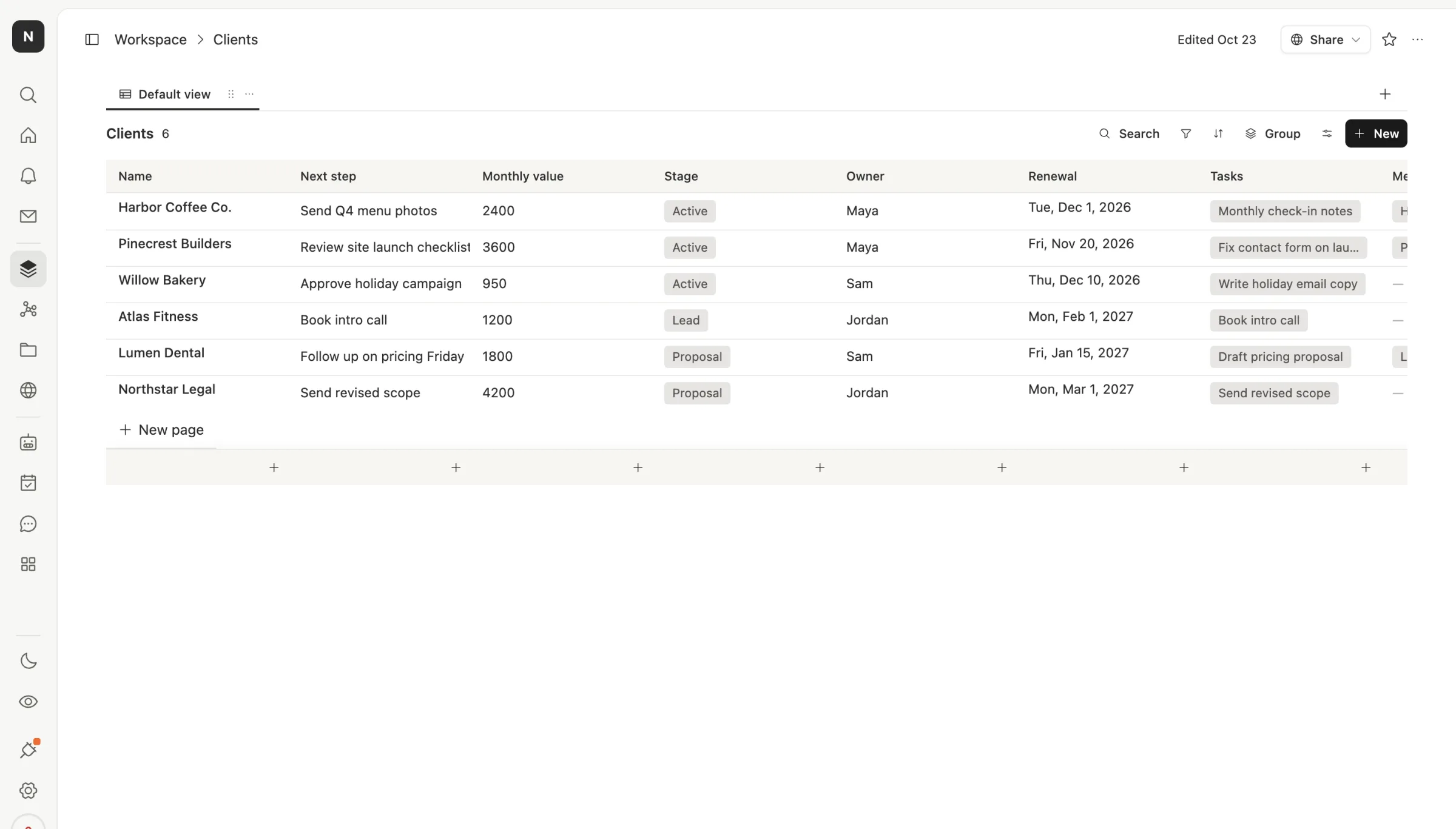
Sort by renewal and the next three months read top to bottom. Pinecrest Builders renews November 20. Harbor Coffee renews December 1. Willow Bakery renews December 10. That's $6,950 a month that needs a conversation before the holidays.
Open a client and everything around the date is right there. The tasks you owe them and the meeting notes link straight to the row, so nobody hunts through a shared drive before the call.
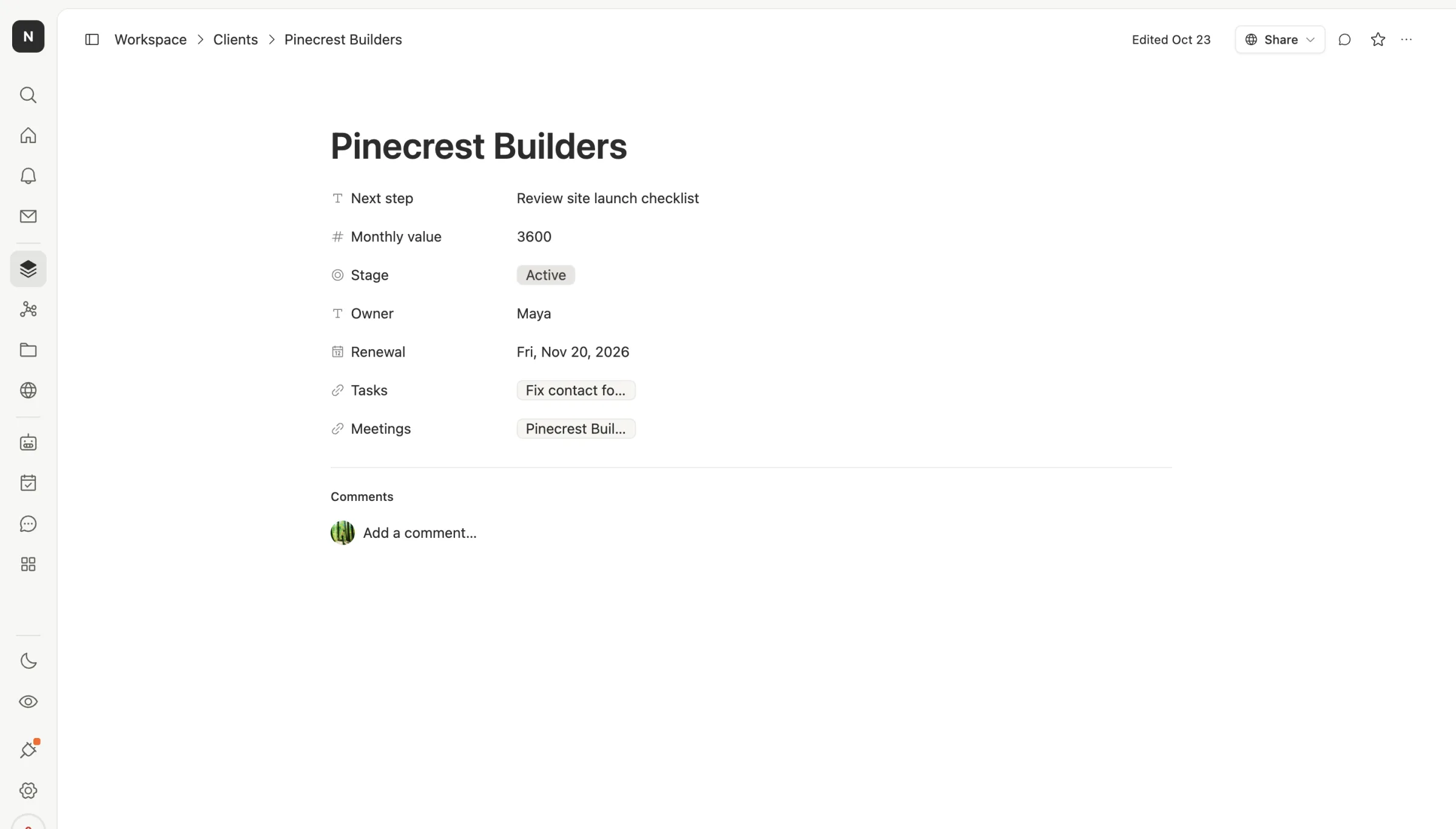
One builder on X described what a renewal job should already know on day one: the contract end date, the owner and the last invoice, so nobody has to re-brief it every quarter. That's the whole point of keeping it on the row.
Count back from the date
The table holds the facts. What makes it work is that the dates come to you, instead of you going to them.

At signing, write three things on the row: the renewal date, the notice window from the contract, and the owner. If the notice window is 60 days, your first date moves back to match.
45 days out, ask for a short call about next year. It's early enough that a no isn't a surprise, and early enough to change the scope.
14 days out, a Team Brain agent drafts the check-in email. You set it once to run every morning. It reads the Clients table, finds anyone renewing in two weeks, and writes a draft for the owner from the row and the latest meeting notes. It never sends anything on its own. The owner reads it and hits send.
Renewal day is then boring, in a good way: signed, or a clear no you heard about weeks ago.
Write the check-in once, reuse it every time
The draft only sounds like you if the agent knows how you write. Northwind keeps that in a skill: a short page of plain instructions any teammate or agent can use with one command.
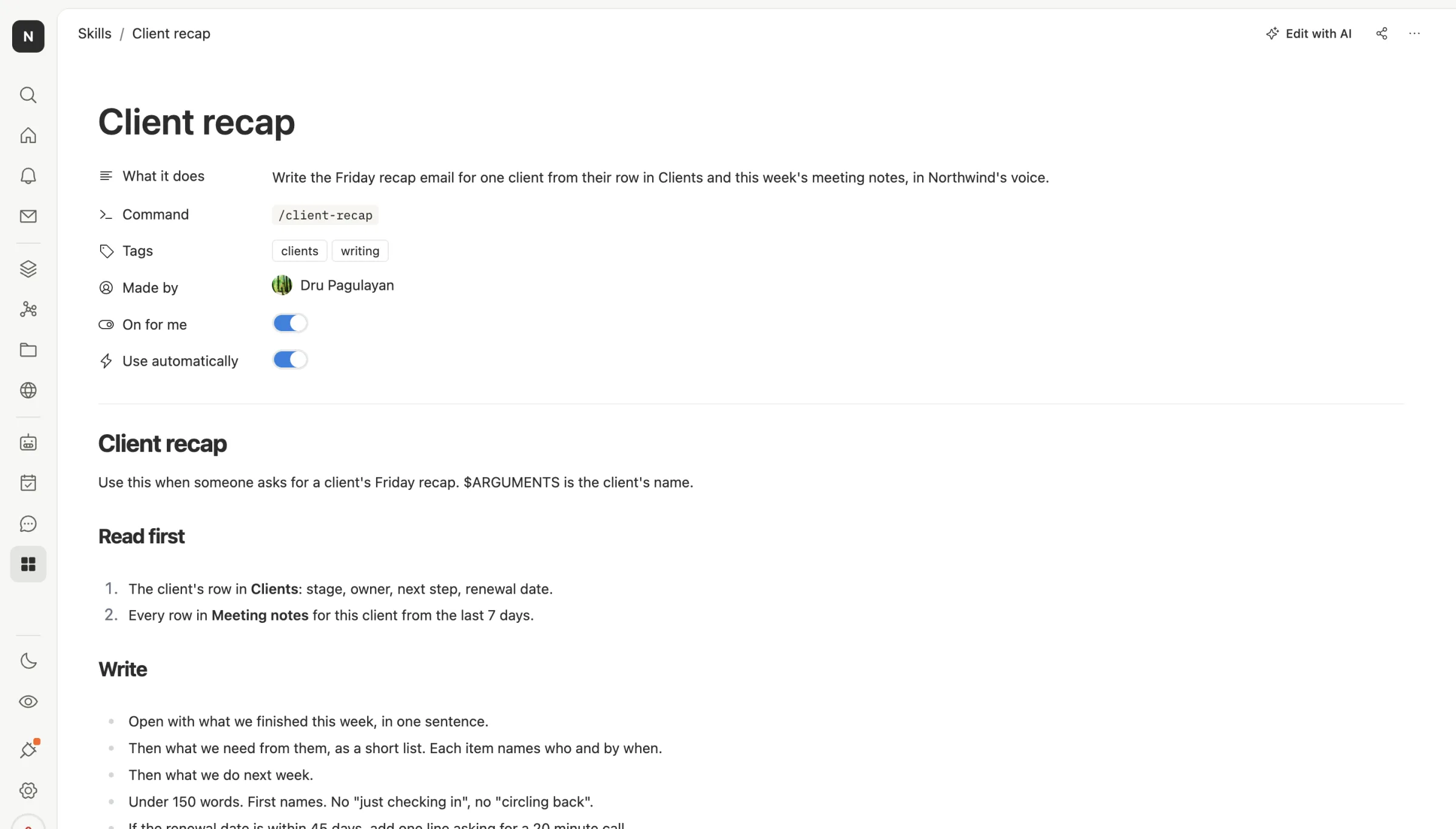
Theirs says to read the client's row and the last week of meeting notes, open with what got done, list what's needed and by when, and stay under 150 words. One line matters most here: if the renewal is within 45 days, ask for a 20 minute call. So the Friday recap does the renewal nudge too, without anyone remembering to.
What it costs
The table, the record pages, the skill and the agent are all part of the free workspace. Team Brain has no seats, so all six people use it at no charge.
You pay for the AI the agent uses when it drafts an email, or you connect your own AI account and pay your provider directly.
Common questions
Do I need a CRM to track renewals? Not for a handful of retainers. You need one place with the date, the owner and the history, and something that reminds you early. A table plus a scheduled agent covers that.
Will the agent email my clients on its own? Only if you build it to. Northwind's agent writes drafts and leaves sending to the owner, which is how we'd start.
What if the notice window is in the contract and not in the table? Put it in the table at signing. A date that only lives in a PDF is the one that slips.
Can I start from my spreadsheet? Yes. Import the CSV into Team Brain, add a renewal date column if you don't have one, and sort by it. You'll see your next three months in under a minute.