How a small team builds a lead list it actually uses
Lead tools got expensive, and a list of 2,000 names still doesn't tell you who to call. Here's how a six-person studio keeps a short list of companies, lets an agent research each one, and picks five a week.
Friday afternoon is "pipeline time." You open a spreadsheet of companies someone exported months ago. Half the rows have no notes. The other half say things like "maybe?" You pick three, look each one up from scratch, and an hour later you've sent one email.
The list was never the problem. Nobody had time to learn anything about the companies on it. One person on X put it well: a lead list is only worth something if it shows you what a basic search would miss.
Here's how one small studio turned its list into something it uses every week.
Why lead tools stopped fitting small teams
The big lead tools are built for teams that send a lot of email. They're very good at it. Clay, the best known, connects to more than 150 data providers for emails, phone numbers and company data, and lets you run AI over every row.
That power comes with a meter. Clay's pricing page splits the bill into two kinds of credits: actions for the work, and data credits for the data you buy. Launch is $167 a month on yearly billing for 15,000 actions and 2,500 data credits. Growth is $446 for 40,000 actions and 6,000 data credits. The free plan runs up to 200 rows per table.

When Clay changed its pricing this spring, Jason Lemkin said it got two to three times more expensive for his team. A person who runs a Clay agency wrote that they cancelled their own Clay plan and cut their outbound stack from $3,300 to $700 a month. This week a new people-search tool trended on X with the line "no more $600 subscriptions," and one founder said lookups that would have been one of their biggest costs came to $1.49.
None of that makes Clay a bad tool. It means a six-person studio that wants twenty good companies a week is paying for a machine built for twenty thousand.
What a small team actually needs
Northwind Studio is a made-up six-person design studio. It does brands and websites for local businesses, and it does best with family-run real estate brokerages that are growing. It doesn't need a million contacts. It needs to know, each week:
- which brokerages fit,
- what changed for them lately,
- who can introduce us.
That's research, not data buying. And research is the part people skip.
How Northwind runs it in Team Brain

1. Name the fit in one sentence. "Family-run brokerages with two to six offices whose website hasn't kept up." Everyone on the team, and the agent, works from that one sentence.
2. One row per company. The Prospects table has a column for each thing worth knowing: offices, whether the website looks dated, the reason to reach out now, fit, and stage. Names come from referrals, local news and plain search.
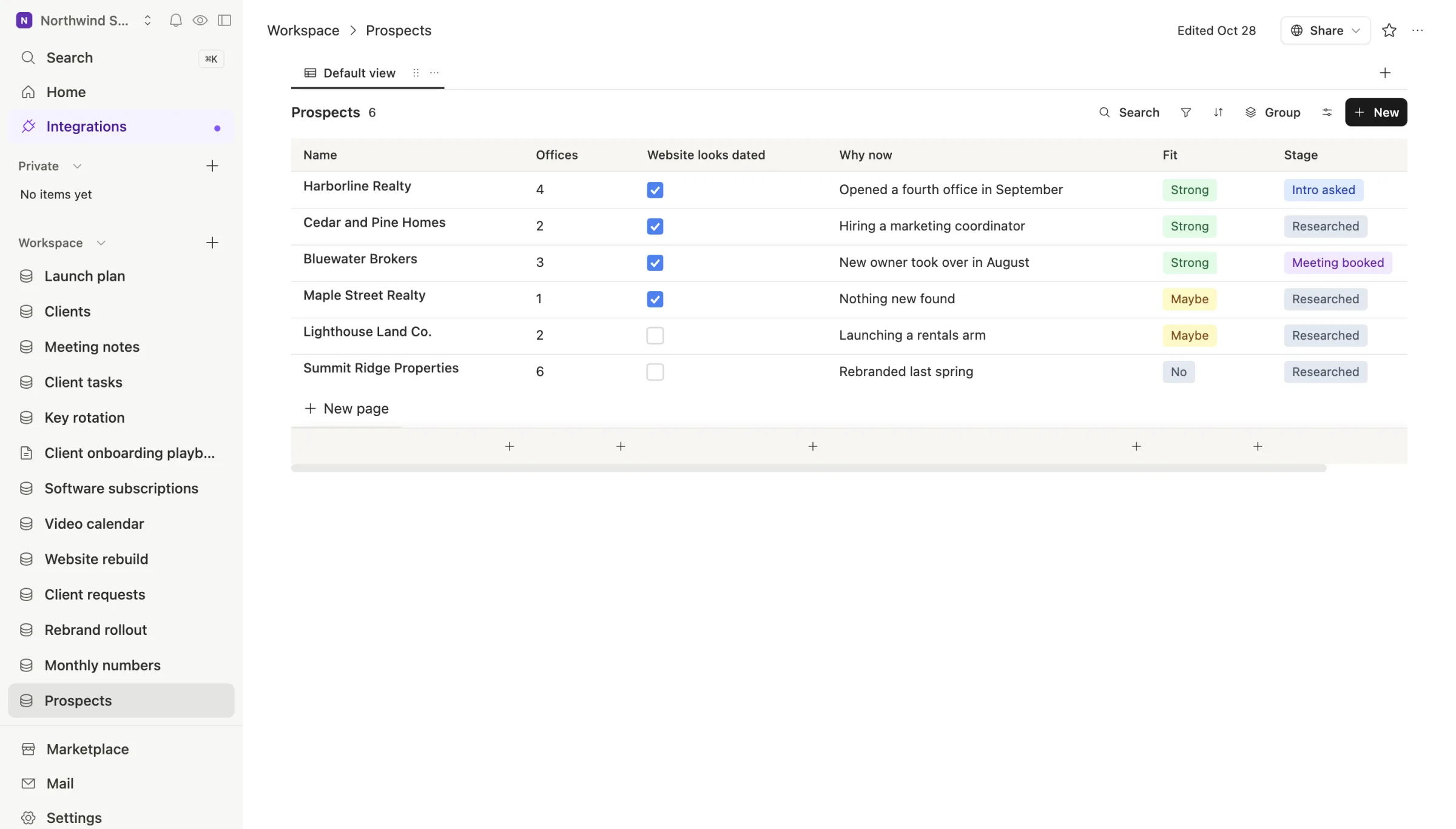
3. Let an agent research each row. When a new row is added, an agent looks the company up on the public web and fills in the columns: how many offices it lists, what's new, what the site is missing. Team Brain's agents can pull named facts about a company from the web straight into columns. It writes its notes into the row's page, so the reasoning sits next to the answer.
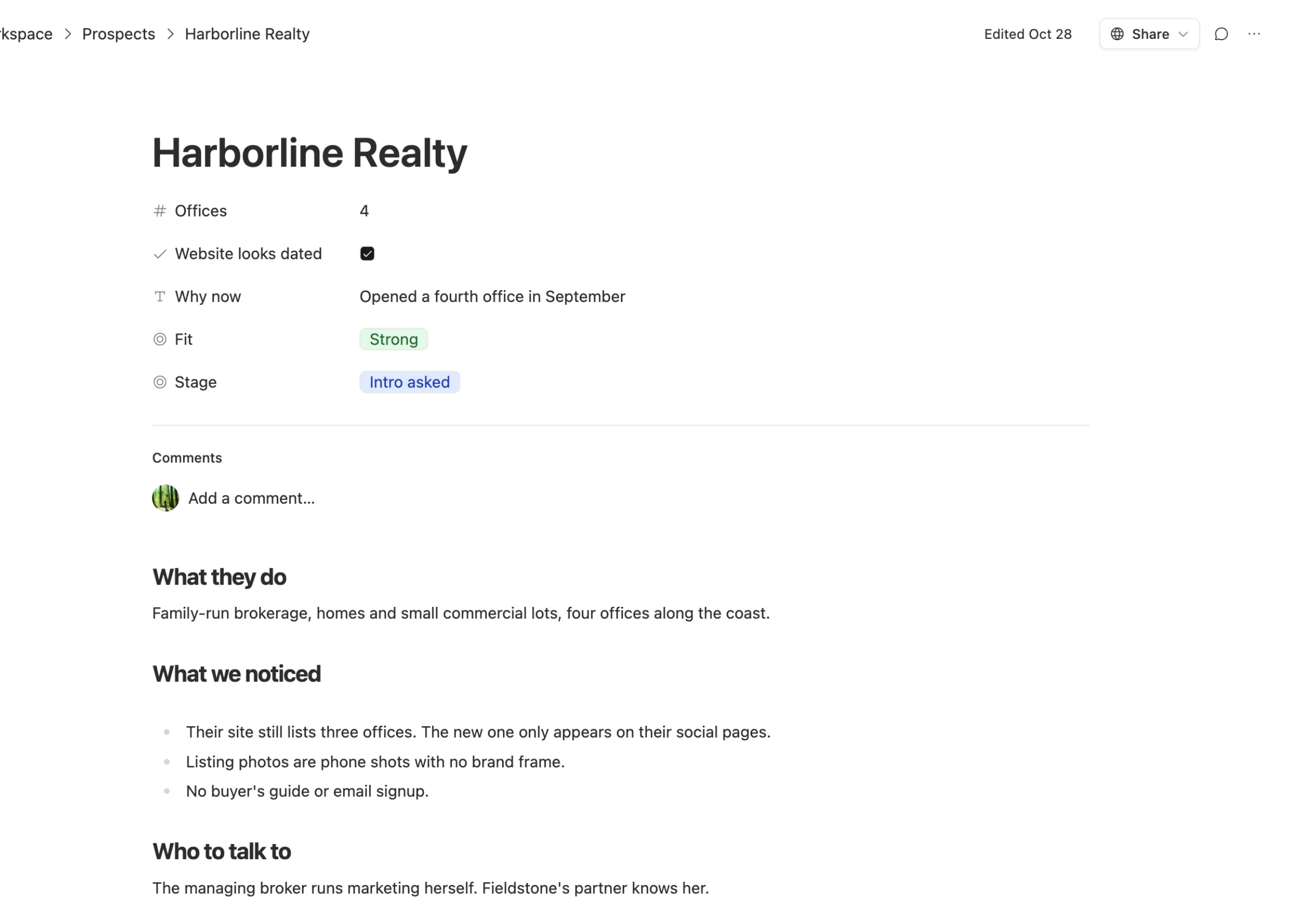
4. Pick five, then do the human part. On Friday, the founder sorts by fit, reads the strong ones, and asks for warm intros. The agent doesn't send anything. That's on purpose. One founder on X described a cheap outreach agent that promised leads better than they could find themselves, then failed to deliver. Research can be automated. The relationship can't.
What this setup is not
It's not a contact database. Team Brain doesn't sell verified emails or phone numbers. If your playbook is high-volume cold email to people you've never met, you need a data provider, and Clay is a strong choice for that.
What it is: a shared, living list where every row explains itself. The whole team sees the same notes. The agent keeps the boring part current. And when a prospect becomes a client, the row moves to the Clients table instead of being retyped.
What it costs
The Team Brain workspace is free for any number of people, as our pricing page shows. You pay for the AI and web lookups the agent uses when it researches a row, or you connect your own AI account. A list of twenty companies a week is a small job.
Common questions
Can the agent find email addresses? It can read what a company publishes on its own website, like a contact page. It doesn't buy contact data from providers.
How many rows can the table hold? There's no charge per row. The free plan includes 10 GB of storage.
Can I bring a list from Clay or a spreadsheet? Yes. Export it as CSV and import it. Team Brain picks a type for each column, and the agent can fill in what's missing.