How a small team keeps track of dozens of AI agents
Agents are easy to make and hard to keep track of. Here's how a small team can see every agent in one place, spot two doing the same job, cap what each one costs, and know what each run changed.
It started with one agent that summarized the day's emails. Then Sam made one for invoices. Jordan made two for leads. By September the team had a dozen, and on Tuesday a client got the same follow-up email twice, from two different agents, ten minutes apart.
Nobody did anything wrong. Making an agent now takes a few minutes, so people make them. Hiten Shah posted that he's made 81 bots since August. One founder runs three businesses with 23 agents, each with exactly one job. Peter Yang connected enough agents to his email that, when something odd happened, he didn't even know which agent did it.
Agent sprawl is the new tab sprawl
Big companies hit this first. Guillermo Rauch said that at Vercel, teams and individuals started building and deploying agents, dozens of them, until they had too many. Someone else listed the symptoms plainly: duplicated agents, unknown owners, missing logs, and permissions nobody controls. Another team lead put it as a list that kept growing while the answers didn't: what is this agent for, and who owns it?
A small team has the same problem with less room for it. Two agents doing one job means a client hears from you twice. An agent nobody owns keeps spending after the person who made it moved on. And when something goes wrong, you can't fix what you can't find.
What to know about every agent
You don't need a governance program. You need answers to a few plain questions, for every agent, in one place.

Who and why. Who owns it, what one job it does, and which table or inbox it writes to.
What it did. When it last ran, what it changed, and what it cost.
Signs of sprawl. Two agents doing one job, an agent nobody owns, an agent with no cap on what it can spend.
If you can't answer these for an agent in under a minute, that agent is a risk, however useful it is.
A thirty-minute check, once a month
Put it on the calendar. The first Monday of the month, one person does this:

List them all. One page with every agent, its owner and its last run.
Find the doubles. Two agents that wake on the same thing and write to the same table are probably doing the same work twice. Keep one.
Turn off the quiet ones. An agent that never runs, or makes something nobody reads, should be off. You can always turn it back on.
Cap the rest. Every agent that stays gets a cost cap per run and a time limit, so a loop can't run up a bill.
How it runs in Team Brain
Here's how the team from the top runs that check in Team Brain.
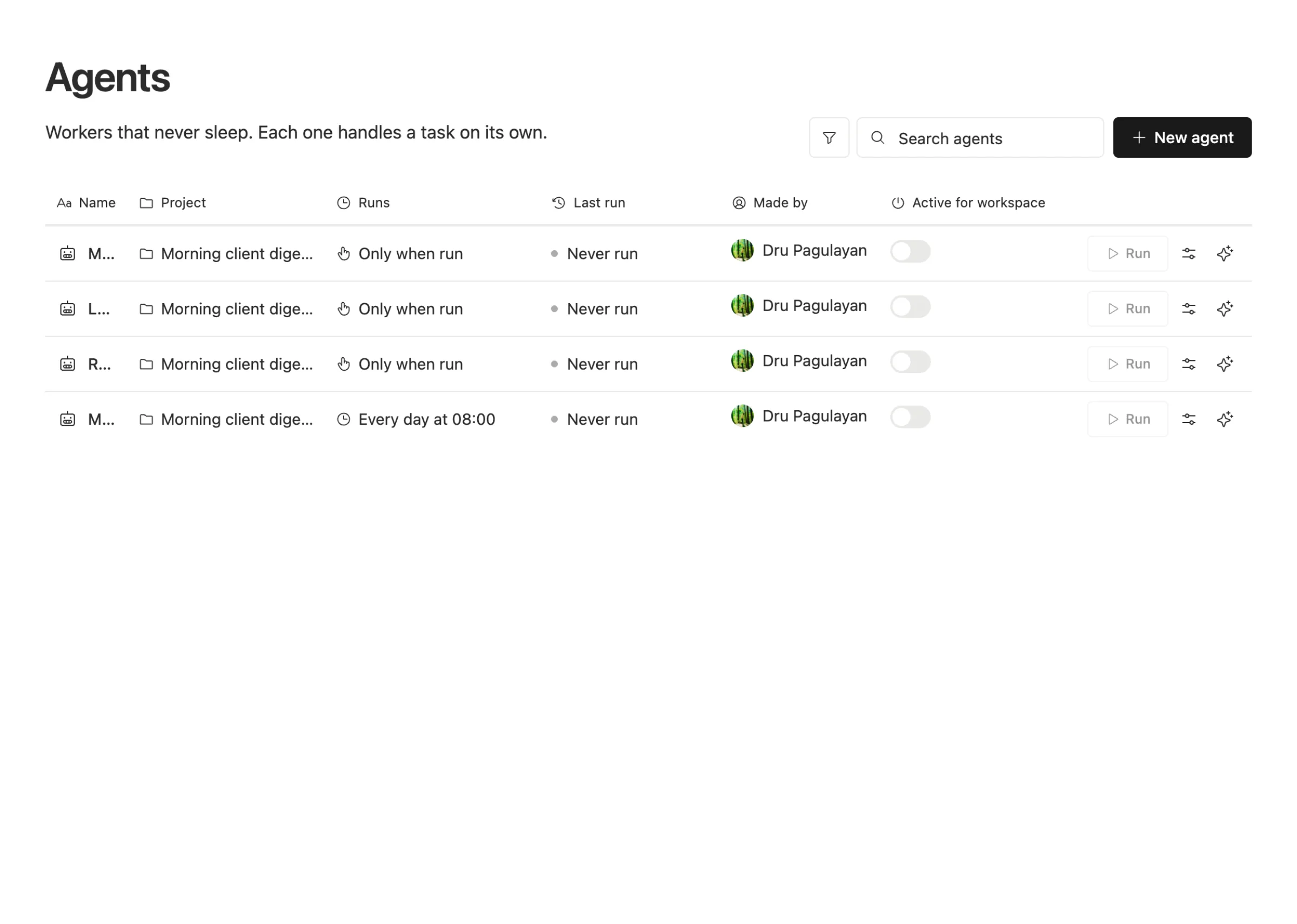
Every agent is on one page. The Agents page lists each one with its project, when it runs, when it last ran, who made it, and an on and off switch for the whole workspace.
Team Brain points out doubles. When you review an agent, it tells you if another agent also wakes on the same trigger and writes to the same table, so both of them would do that work. It's a heads-up, not a block. You decide which one stays.
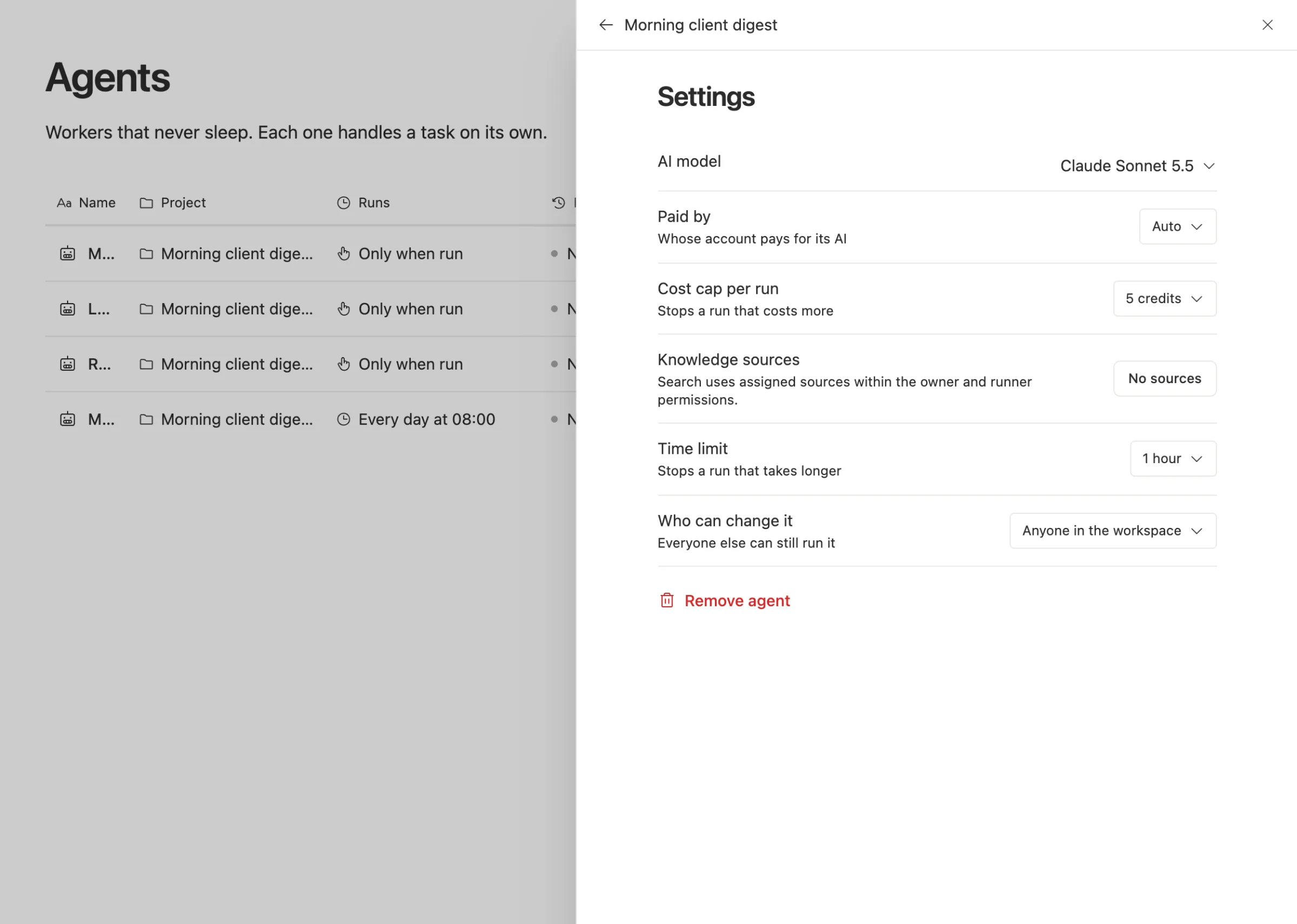
Every agent has its limits in one place. Open an agent's settings for its model, who pays for its AI, a cost cap per run, a time limit, and who can change it.
Every run leaves a record. Each run shows what it changed and what it started. When an agent writes over many rows at once, the record says how many values a person had fixed by hand that it replaced.
Agents live in projects. Agents that work together sit in one AI project, with a readme that says what the project does.
What it costs, in one view. The Usage tab under Plan and payments shows what used your credits, so the agent that suddenly costs ten times more stands out.
What it costs
The workspace is free for any number of people and agents. You pay only for the AI the agents use, or bring your own keys or AI plan. There's no charge per agent, so the monthly check is about clutter and risk, not about a bill for each one. See our pricing.
Common questions
How many agents is too many? There's no number. One founder runs 23 happily. The test is whether you can say who owns each one and what it did last week.
Should one big agent do everything instead? Usually not. Agents with one narrow job are easier to check, easier to cap, and easier to turn off when they misbehave.
What should I do with an agent nobody owns? Turn it off. If nobody notices within a month, remove it.
How do I stop two agents from emailing the same client? Give each customer-facing job to exactly one agent, and look for doubles in your monthly check. In Team Brain, the review flags two agents on the same trigger writing to the same table.