How to export an Asana project to CSV (and what to do with it)
Asana's own steps to export a project as a CSV file, what trips people up with big projects, and how to turn that file into a working table in Team Brain in about two minutes.
Your boss wants the launch tasks in a spreadsheet by Friday. Or a client asked for a copy of everything you did for them. Or you're just tired of paying for seats and want your work somewhere you can see it all at once.
Whatever the reason, the first step is the same: get the project out of Asana as a file you can open anywhere. Asana makes this easy once you know where the button is. It's hidden in a menu most people never open.
Asana's way, step by step
Per Asana's help page on project importing and exporting:
- Open the project you want.
- Click the drop-down menu next to the project's title.
- Hover over Export/Print.
- Pick your file type.

That's it. The same page says you can also export a Search View or your My Tasks list, which helps when you want tasks from more than one project in one file. It also says export works on every plan, Personal included.
CSV or JSON?
Asana gives you two file types. Pick the one that matches what you'll do next.

CSV is a plain spreadsheet file. Excel, Google Sheets, Numbers and Team Brain all open it. Each task becomes a row. Pick this if a person is going to read it.
JSON is for code. It keeps more structure, but you need a tool or a script to read it. Pick this if a developer asked for it, or you want a raw backup you may never open.
What trips people up
Asana's export is simple, but people on its forum and on X have hit a few walls. None of them are your fault.
The file can take a while. For a big project, Asana emails you when the CSV is ready. One person waited over three hours and found nothing in spam. Another worked out why: their project was huge once you counted completed tasks, so they moved just the tasks they needed into a new project and exported that. If yours is slow, try the same trick.
Very big projects are harder. Back in 2018 one team said they had too many tasks to export to CSV and ended up writing a script against Asana's API. Asana's suggestion in that thread was to split the project into smaller ones and export each.
People can't find the button. It's not on the toolbar. Even a few years ago someone asked on X if there was any way to export a project at all. It's in the menu next to the project's name, under Export/Print.
Check the file before you delete anything. Open the CSV and make sure your custom fields, subtasks and comments came along the way you expect. Asana's help page doesn't list every column, so look for yourself while the project still exists.
The Team Brain way, step by step
A CSV in a folder is a backup. A CSV in a table is something your team can work in. In Team Brain, the second one takes about two minutes.

1. Open the import. In the sidebar, click the + next to Workspace and choose Import files.
2. Drop in the CSV. Drag the file onto the box, or click to choose it. Team Brain also takes Markdown, Word files, plain text and a Notion export .zip.
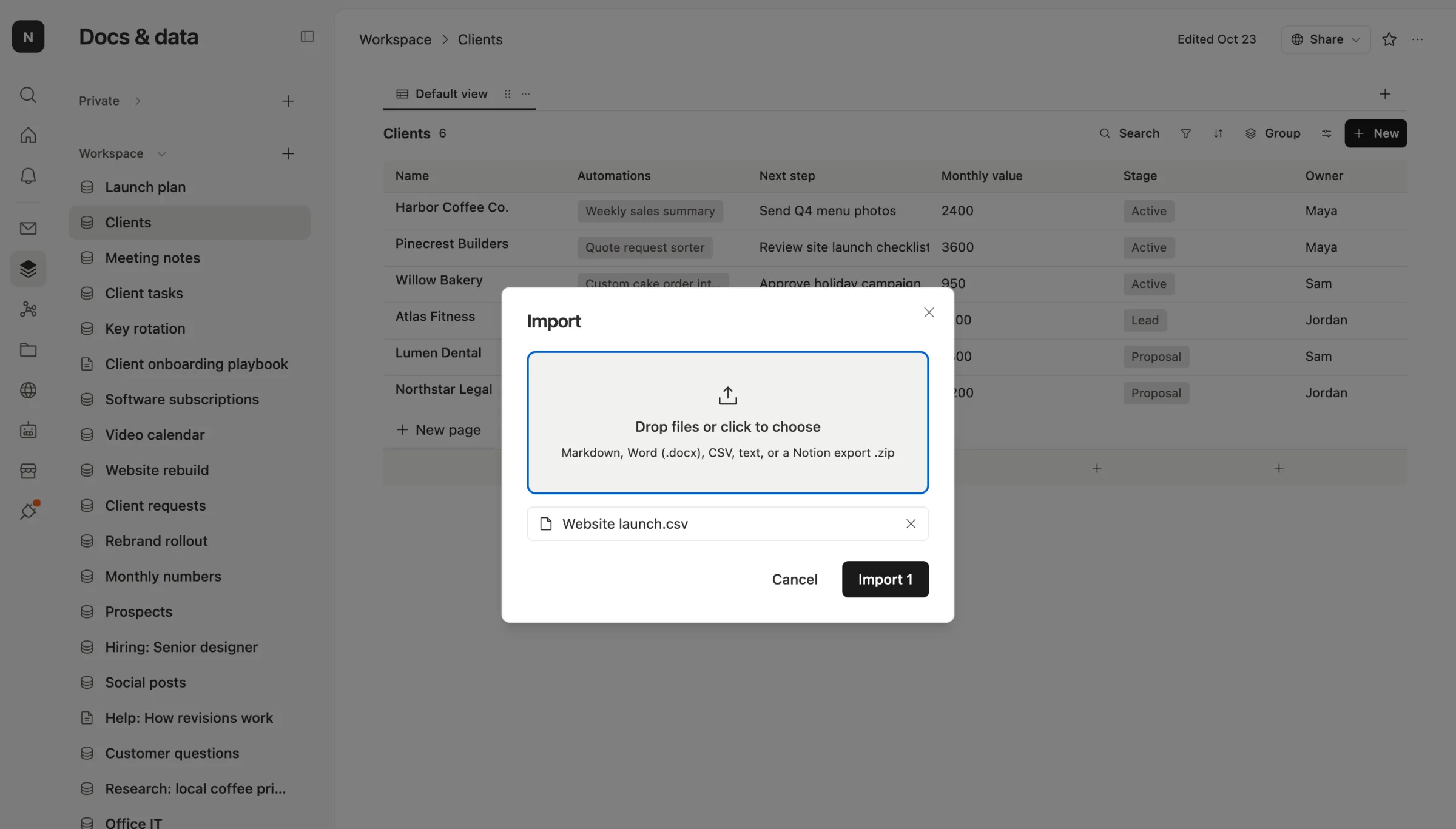
3. Check the columns. One CSV becomes one table. Team Brain looks at each column and picks a type: dates become dates, true and false become checkboxes, and a column with a few repeated names becomes a pick list. The first column becomes the row title.
Here's a small sample file shaped like an Asana export, after the import:
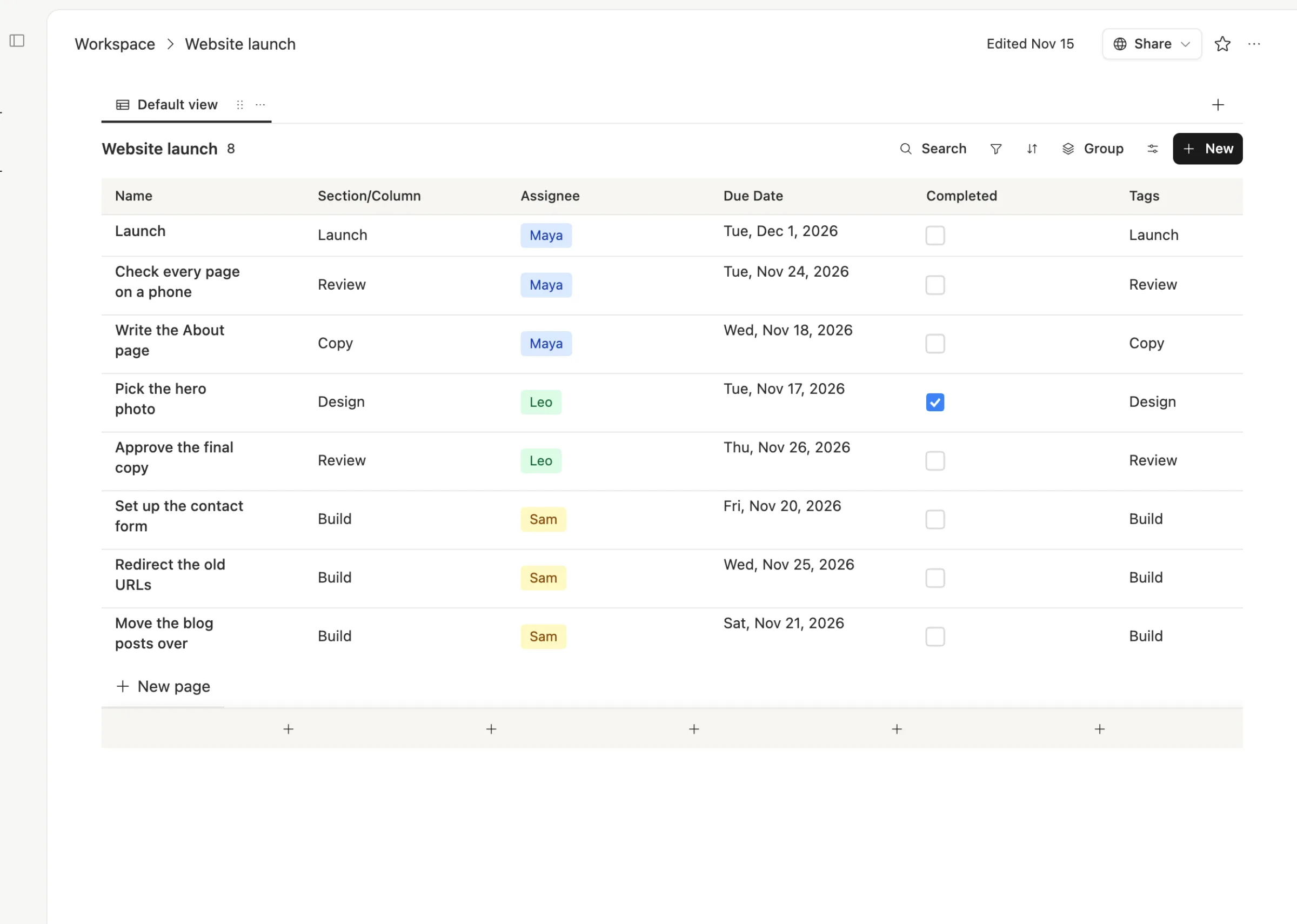
4. Make it yours. Add a calendar view so due dates sit on a month, from the + by the view tabs. Fix any column the import guessed wrong. Then give the table to your team. There are no seats, so everyone who worked in the Asana project can join for free.
Two limits to know. Each CSV imports up to 1,000 rows and 60 columns, so split a very big export into a few files. And comments and attachments only come across if they're in the CSV as text or links.
After the import
Once your tasks are a table, the things Asana charged for open up:
- Link tasks to clients or projects with a relation column, so opening a client shows every task.
- Let an agent watch due dates and nudge the owner once when something's late.
- Share one table with a client by link, without giving them the rest of your workspace.
If you're thinking about leaving Asana for good, you're not alone. People have been weighing it for years. Try one project first. Move the rest when that one feels right.
Common questions
Can I export every Asana project at once? Asana's help page covers one project at a time, plus Search Views and My Tasks. For many projects, run a search that covers them and export that, or export each project.
Is exporting to CSV free in Asana? Asana's help page lists export for every plan, including Personal.
Does Team Brain import from Asana directly? Today, the way in is the CSV. Export it from Asana and drop it into Team Brain's Import files.
What does Team Brain cost? The workspace is free for any number of people. You pay only for the AI you use. See pricing.