How to send a weekly Airtable report by email
Airtable's own steps to email a list of records every week with an automation, the limits people run into, and how to do the same report in Team Brain with an agent that writes a summary, not just a list.
Every Monday morning you open the base, filter for what changed, copy the rows into an email, tidy the formatting, and send it to your boss or your client. It takes twenty minutes. It's the same twenty minutes every week.
You already know this should run on its own. Airtable can do it with an automation, and it's not hard once you know the three pieces. Here's how, straight from Airtable's own guides, plus what trips people up and another way to get a report people actually read.
Airtable's way, step by step
Airtable calls this an email digest. Per its guides to the scheduled time trigger and email digests:
- Add the trigger. Open Automations, create one, and pick At a scheduled time. Choose Weeks as the interval, pick the day, and set the time. It starts on a date in the future.
- Find the records. Below the trigger, click Add advanced logic or action and choose Find records. Set the condition, like "Status is Late" or "Created in the last 7 days". To control the order, find records from a view.
- Send the email. Add another action and choose Send an email. In the message, click the plus sign, pick Records from the Find records step, then Insert records as list (or as a grid) and switch on the fields you want.
- Test it, then turn it on. Run a test, check your inbox, and flip the toggle to ON.

Only Owners and Creators can build automations. Editors can look but not change them.
What trips people up
These come up again and again in Airtable's community. None of them mean you set it up wrong.
The 25 recipient cap. One user tried to email every client with a past due order, and the test failed with "Cannot email more than 25 recipients at a time." Worse, it was putting every client in one email, so they'd see each other's addresses. The fix is one email per record, which means one automation run per record.
Odd send times. Another user's reminder emails went out at midnight, because the trigger watched a date condition instead of a clock. The answer was to switch to a scheduled trigger and find records inside it.
Daylight saving time. Airtable's own guide says scheduled triggers don't adjust for daylight saving. Your Monday 8 am report becomes 7 am or 9 am until you fix it by hand.
Run limits. Each automation run counts against a monthly limit per workspace. Per Airtable's automations guide, that's 100 runs on Free, 25,000 on Team and 100,000 on Business. One weekly email is only four or five runs. One email per record, every day, adds up fast.

Team and Business prices are from Airtable's pricing page, billed yearly per editor, checked November 15, 2026.
A list isn't a report
Even when it works, an Airtable digest is a list of rows in an email. Your boss still has to read every row and work out what it means. Which of these is late? Which matters? What changed since last week?
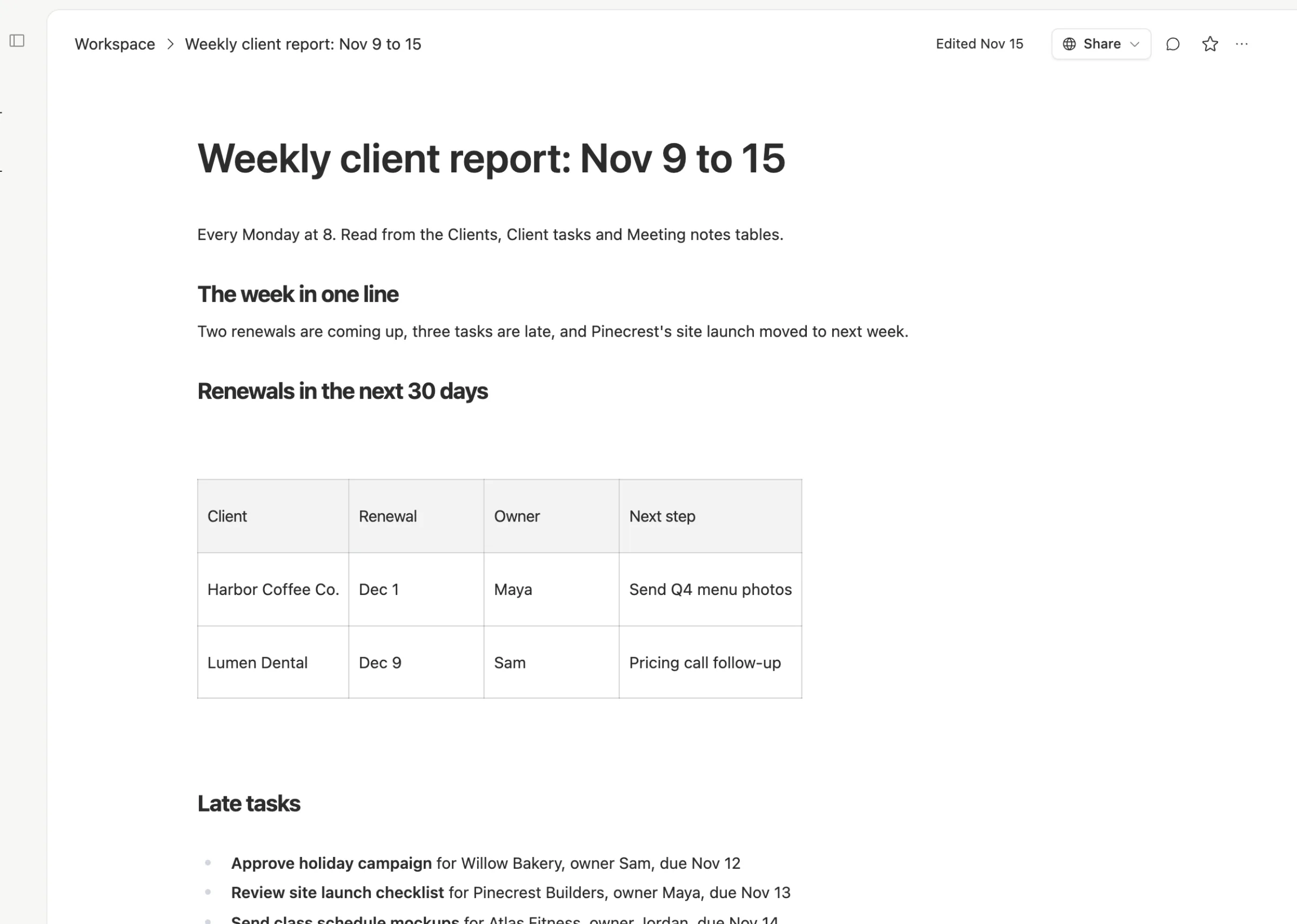
That last step is the real work, and it's the part people skip. A report says "two renewals are coming up and three tasks are late." A list makes the reader find that out.
The Team Brain way, step by step
In Team Brain, the weekly report is an agent. It reads your tables, writes the summary, and puts it where people can find it.

1. Describe the report. Make a new agent and say what you want in plain words: "Every week, read Clients, Client tasks and Meeting notes. List renewals in the next 30 days, late tasks with their owner, and new clients. Start with one line that sums up the week."
2. Give it a schedule. Add a trigger for every Monday at 8, in your time zone. The agent's page shows when it runs next and every run so far.
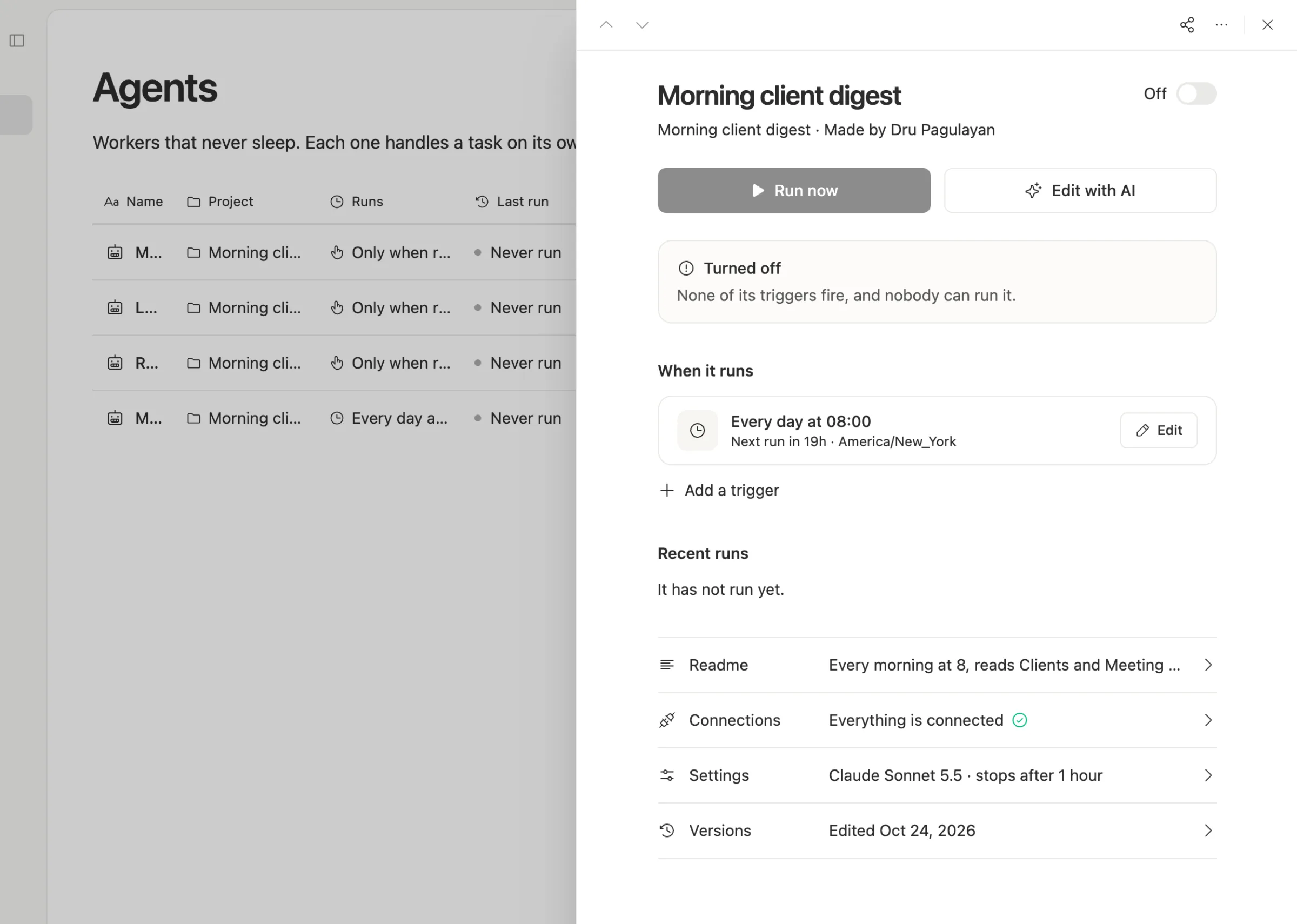
3. It writes a page. Each week the agent writes the report as a page in your workspace, next to the data it came from. Anyone can open it, comment, or follow a name back to the row.
4. It drafts the email. The agent can write the email in your connected mailbox as a draft for you to check and send. If you switch on "Let AI send mail" for that mailbox, it can send it on its own. Until you do, nothing leaves without you.
Set a cost cap per run in the agent's settings, so a weekly report can never cost more than you expect.
Which one should you use?
Stay with Airtable's digest if your data lives in Airtable, the list of rows is enough, and the email goes to a few people. It's free to set up, and four or five runs a month fit any plan.
Use a Team Brain agent if you want a summary instead of a list, the report pulls from more than one table, or the people reading it should be able to click through to the details.
Common questions
Can Airtable send a weekly email for free? Yes. Automations work on the Free plan, with 100 runs a month per workspace. A weekly email uses about four or five.
Why does my Airtable email list every record in one message? The Send an email action puts all found records into one email. To send one per person, Airtable's community suggests a repeating group or a separate run per record.
Can a Team Brain agent read my Airtable base? Export the base as CSV and import it into a Team Brain table, or have an agent call Airtable's API with your key.
What does Team Brain cost? The workspace is free for any number of people. You pay only for the AI the agent uses, or bring your own AI account. See pricing.