Team Brain vs Coda (now Superhuman Docs)
Coda is now Superhuman Docs, with the same Doc Maker pricing and new AI views. Here's how it compares to Team Brain, what each costs for a real team, and when you should stick with Coda.
You built your team's whole operating system in Coda. The project tracker, the hiring pipeline, a weekly report with buttons that send it out. It works. Then one morning you open it and the logo says Superhuman Docs.
You're not the only one who did a double take. One person summed up a rough week as first Coda being renamed, and now this, on the same day their browser was sunset. Nothing broke. But a rename is a good moment to ask whether the tool still fits how your team works now that AI does a lot of the busywork.

The short answer
Stick with Coda if a few people on your team build docs and everyone else fills them in, and you rely on formulas, buttons and Packs you've already built.
Pick Team Brain if you want everyone to be able to build, with agents doing the repeat work on a schedule, and you don't want to pay per builder.
Think about the suite if your team already lives in Grammarly and Superhuman Mail. Superhuman Docs Pro now includes Grammarly and Go, and Business adds Superhuman Mail.
What each one really is
Coda is a doc that works like an app. You write in pages, drop in tables, and wire them together with formulas, buttons and automations. Years ago one fan described it as working like a Google Doc that can publish as a web page and act like an app. That's still the core.
Coda joined Grammarly, and in July Coda became Superhuman Docs, part of a suite with Grammarly, Superhuman Mail and Superhuman Go. It now connects to Claude and ChatGPT, and on October 20 Superhuman launched AI views in open beta: describe what you need and your data becomes an interactive tool.
Team Brain is a workspace your agents work in. Docs and tables sit side by side, and agents read and update them on a schedule, when a row changes, or when an email lands. Anyone on the team can build.
What it costs, side by side
| Superhuman Docs (Coda) | Team Brain | |
|---|---|---|
| Free plan | $0, docs, tables, low automation quota | $0, unlimited people and agents, 10 GB |
| Paid plans | Pro $12, Business $33 per Doc Maker a month, yearly | No seats. You pay for the AI you use |
| Monthly billing | Pro $15, Business $40 | Same, no plan fee |
| Who pays | Doc Makers. Editors are free | Nobody pays a seat |
| AI | Docs AI in beta for Doc Makers | Pay per use, or bring your own AI |
| Version history | 7 days free, 30 days Pro, unlimited Business | Every page and agent keeps its versions |
Prices are from Superhuman Docs' plans page, checked October 24, 2026. Team Brain's are on our pricing page.
Coda's model is fairer than most. Its roles help page says editors are free, in any number, and can add rows, build views, write formulas and set up automations. You only pay for Doc Makers, the people who create docs and pages and use Docs AI to generate new content.
So the real question is how many builders you have. Ten people, three of whom build:

Your own numbers:
- Superhuman Docs Business
- $99
- Superhuman Docs Pro
- $36
- Team Brain
- $0plus the AI you use
That's $432 a year in seats you wouldn't pay.
Here "editors" means the people who build docs, the ones Superhuman Docs bills as Doc Makers.
Where Team Brain is different
Everyone can build. In Coda, an editor can't create a doc, add a page or use Docs AI to write something new. That's the line the price is drawn on. In Team Brain there's no such line. Anyone can make a table, a page or an agent.
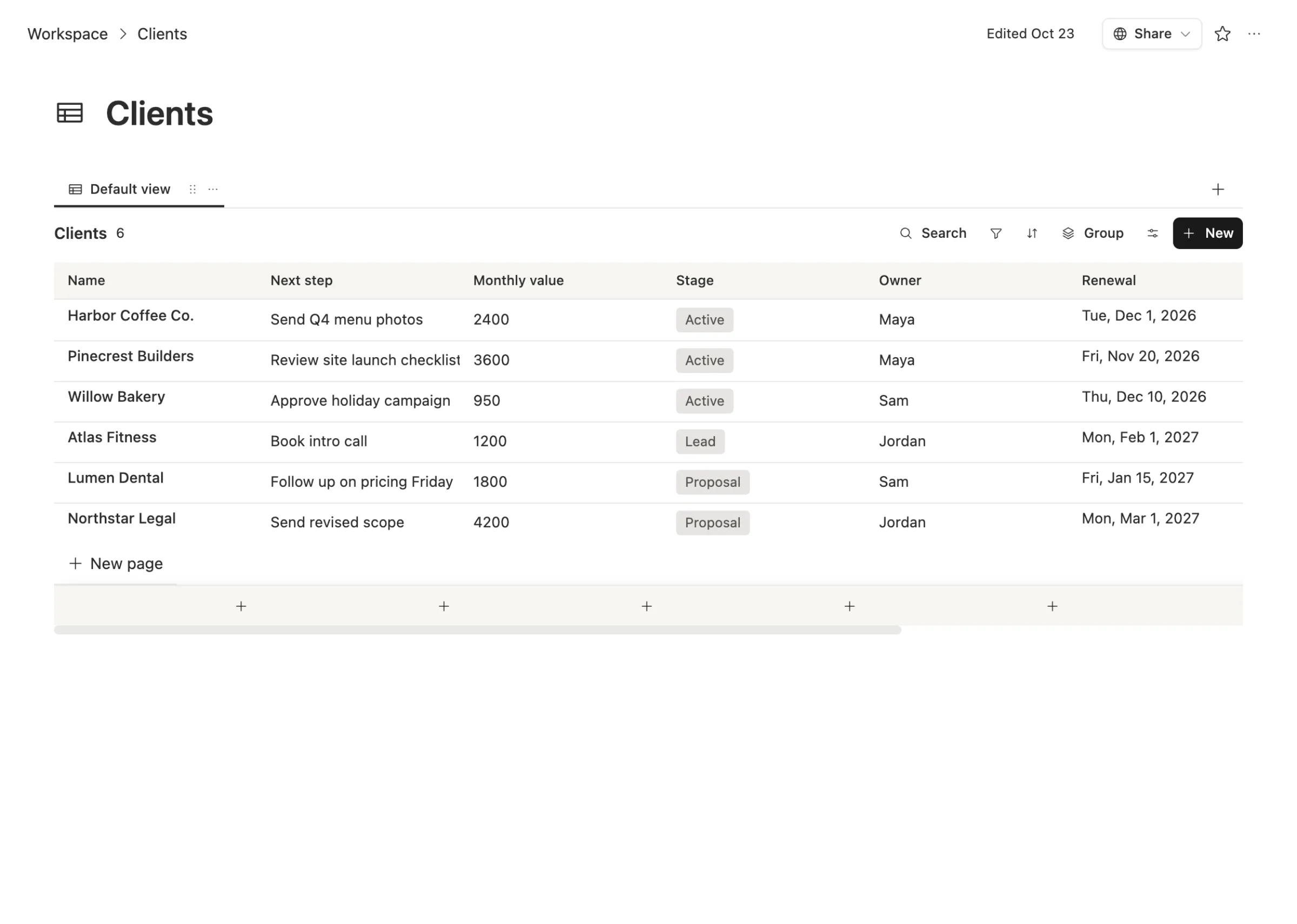
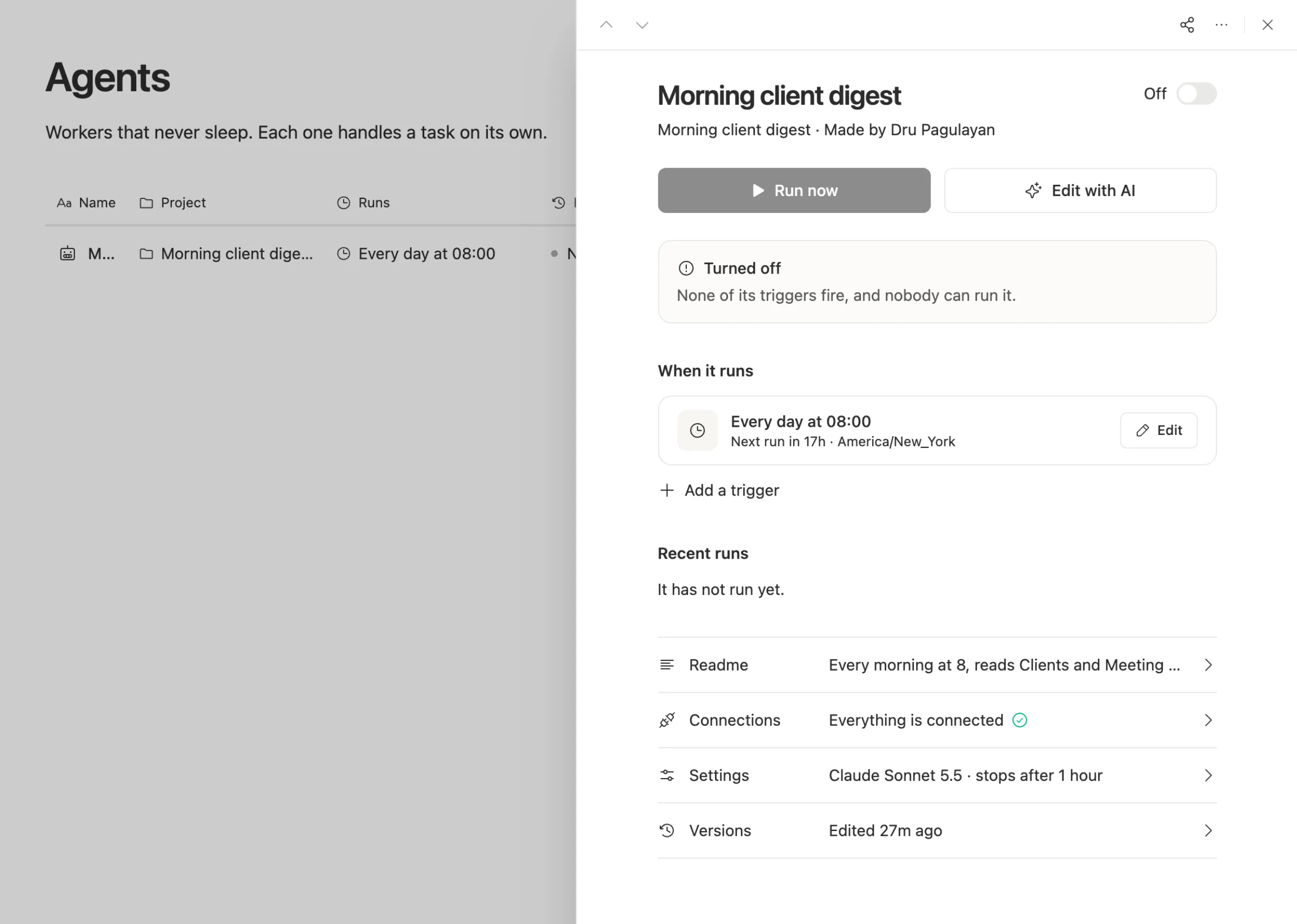
Agents do work, not just formulas. A Coda automation runs a rule you wrote. A Team Brain agent can read your client list and yesterday's meeting notes, then write a digest of what's due. You describe the job in plain words, set when it runs, and give it a cost cap.
You pick the AI. Run agents on workspace credits, your own API key, or a ChatGPT, Grok, Gemini or GLM plan you already pay for.
When to stick with Coda
We'd rather you pick right than pick us.
- You have a big, working Coda setup. Years of formulas, buttons and Packs are real value. Rebuilding them is real work.
- Most of your team only fills in docs. Editors are free, so a team with one or two builders pays very little.
- You want the Superhuman suite. If Grammarly and Superhuman Mail are already part of your day, the bundle is worth something.
- You love Coda's formula language. It's one of the best in any doc tool.
What breaks when you switch
What moves cleanly: tables, rows, text and pages. Export a table to CSV and import it.
What you rebuild: formulas, buttons, Packs and automations. Some become table formulas in Team Brain. Many become one agent that does what three automations did.
What to check first: which Packs you depend on. If a Pack connects to a tool Team Brain doesn't, keep that doc in Coda for now.
Move one doc first, the one with the most repeat work in it, and run both side by side for a week.
Common questions
Is Coda shutting down? No. It was renamed Superhuman Docs and is still sold, with the same Doc Maker pricing.
Is Team Brain cheaper than Coda? For a team with several builders, yes: Team Brain has no paid roles. For a team with one builder, Coda Pro is $12 a month, so the gap is small.
Do Coda editors really cost nothing? Yes. The roles page says editors are free and unlimited.
Can Team Brain do what Coda Packs do? Some of it. Team Brain connects to many apps, and agents can call web APIs. Check the specific Packs you use before you move.