Team Brain vs Zapier
Zapier moves data between thousands of apps and bills by the task. Team Brain is a workspace where agents keep your tables and docs up to date, with no seats and no task meter. Here's how they compare, what each costs, and when to stay on Zapier.
You got the email on the 22nd: you've used 80% of your tasks this month. Nothing new was added. One Zap has a loop in it, and a busy week for sales meant it ran a lot more than usual.
So you do what everyone does. You turn a Zap off, wait for the reset, and start looking for a Zapier alternative.
Before you move anything, it helps to know what you're actually comparing. Zapier and Team Brain overlap, but they're built around different ideas.

The short answer
Stick with Zapier if your automations mostly move data from one app to another: a form to a CRM, a payment to a spreadsheet, a new lead to Slack. It connects to more apps than anyone, and setup takes minutes.
Pick Team Brain if your automations mostly keep your own records up to date: a client list, a task board, a weekly report. Team Brain holds the tables and docs, and agents do the work inside them. No seats, no task meter.
Use both if you need both. Plenty of teams keep a few Zaps for app-to-app plumbing and move the thinking work to agents.
What each one really is
Zapier is a connector between apps. A Zap starts with a trigger in one app and runs action steps in others. Its apps page says it connects 10,512+ apps. It now also has Agents, Copilot and its own Tables and Forms.
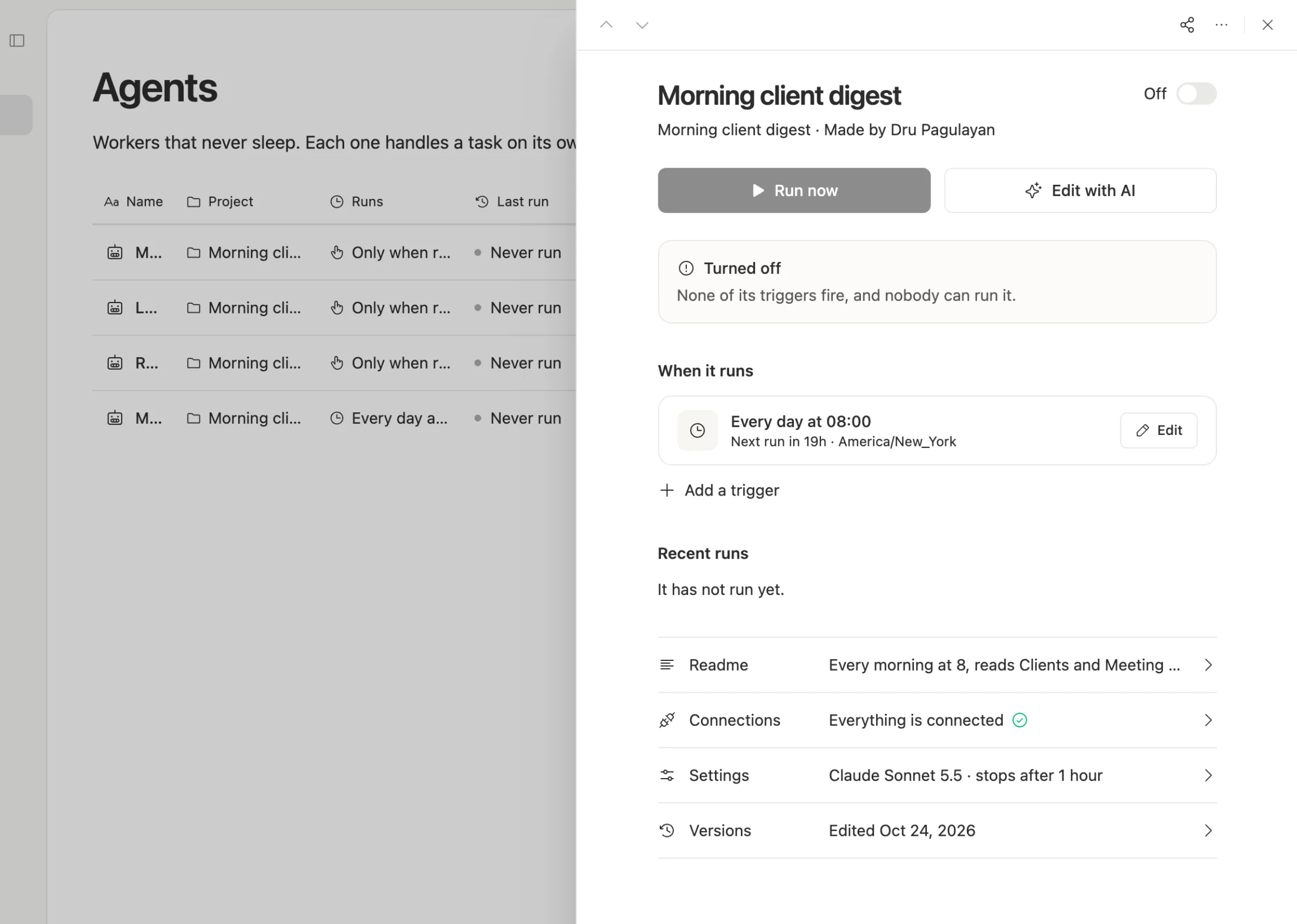
Team Brain is a workspace your agents work in. Your tables, docs and pages live in it. Agents run on a schedule, when a row changes, when an email lands, or when another app calls a webhook. They read and write your data directly, and you can watch every run.
The simplest way to say it: Zapier carries data between your tools. Team Brain is one of the tools, with the workers built in.
What it costs, side by side
| Zapier | Team Brain | |
|---|---|---|
| Free plan | 100 tasks a month, two-step Zaps, 1 user | $0, unlimited people and agents, 10 GB |
| Entry paid plan | Professional $19.99 a month yearly, $29.99 monthly, 750 tasks, 1 user | No paid plan needed |
| Team plan | $69 a month yearly, $103.50 monthly, 2,000 tasks, 25 users | Unlimited people at $0 |
| What you pay for | Tasks: each action step that runs | The AI and run time each agent uses |
| Running out | Stops, or pay per task at a higher rate | Stops when credits run out, or cap each agent |
Zapier's numbers are from Zapier's pricing page, checked November 15, 2026. Team Brain's are on our pricing page.

To be fair, those Zapier numbers are the entry tiers. If your Zaps run often, you'll be on a bigger task tier. And Team Brain isn't free to run: agents that use AI cost credits. The difference is what the meter counts.
The task meter is the real difference
Zapier counts a task each time an action step works. Its pricing page spells out the details: triggers, failed actions and its built-in data tools don't count. A Zapier MCP tool call counts as two.

That's fair and easy to predict for simple Zaps. It gets hard when a step loops or an AI step retries. One person on X put it well: per-task pricing is fine until an agent retries and one lead costs 20 tasks. Another said Zapier's task model blows up the bill fast once loops hit the thousands.
When you run out, the pricing page says one of two things happens. With pay-per-task off, your Zaps stop until next cycle. With it on, extra tasks bill at 1.25 times the base rate on yearly plans and 2.5 times on monthly ones, up to a hard stop at three times your plan.
Where Team Brain is different
The data and the work sit together. A Zap that copies a form into a spreadsheet, then the spreadsheet into a CRM, becomes one table in Team Brain, with an agent that fills and checks it. Fewer hops, fewer things to break.
You pay for what a run uses, not how many steps it has. A run that reads 200 rows and writes a summary is one run. Its cost is the AI it calls and the time it takes, and the Agents page shows each agent's credits for the last 7 days.
Every agent has its own ceiling. You set a cost cap per run and a time limit, so one stuck job stops early instead of eating the month.
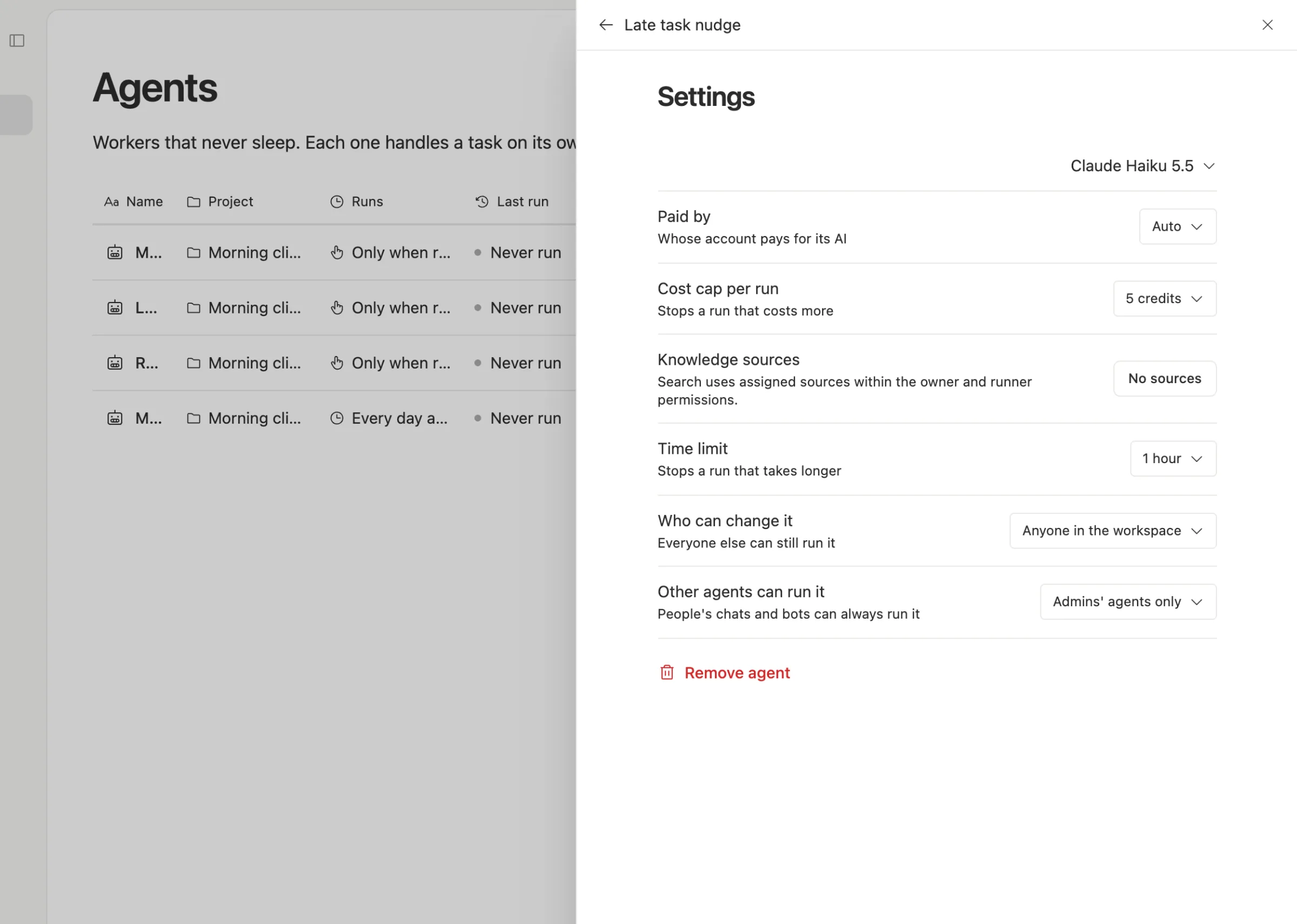
Bring your own AI. Each agent can run on workspace credits or on your own AI account, with the model you pick.
Nobody pays a seat. Zapier Team includes 25 users. Team Brain has no user count at all.
When to stick with Zapier
We'd rather you pick right than pick us.
- You live in many apps. Zapier connects to more than ten thousand. Team Brain has built-in sign-in for Google, Microsoft and GitHub, and reaches other apps through API keys, webhooks or MCP. If your Zaps touch twenty niche apps, Zapier is easier.
- Your Zaps are simple and steady. A form to a sheet, a payment to Slack, a few hundred times a month. The free or Pro plan is cheap and it just works.
- Someone non-technical owns them. Zapier's editor is very easy to learn, and lots of people already know it.
What breaks when you switch
What moves easily: the data. If your Zaps write into Zapier Tables or a spreadsheet, export it as CSV and import it into a Team Brain table.
What you rebuild: the logic. Zaps don't import. Describe each one as a job ("when a lead comes in, add it to Leads and tag the source") and build it as an agent. Start with the Zap that costs the most tasks.
What you keep: any Zap that only moves data between two outside apps. It may stay cheapest on Zapier.
One builder swapped their Zaps for a small script and saved $642 a year. You don't have to write code to do the same thing in Team Brain, but the lesson holds: move the expensive ones first.
Common questions
Is Team Brain a Zapier alternative? For automations that keep your own tables and docs up to date, yes. For connecting thousands of outside apps with clicks, Zapier is still easier.
Does Team Brain charge per task? No. You pay for the AI and run time each agent uses, in credits, or bring your own AI account. The workspace is free.
Can Team Brain start when something happens in another app? Yes. Every agent can have a webhook address that other apps call, and agents can also run on a schedule, on a row change or on an email.
Can I limit what an agent spends? Yes. Set a cost cap per run and a time limit in the agent's settings.