What to do when you hit your Claude usage limit
Hit your Claude limit by Monday? Here's how the five-hour and weekly limits work, your options when you run out, and how to move routine work off your plan so the limit lasts for the work that needs it.
It's Tuesday afternoon. You're halfway through a refactor, the session is going well, and then the message lands: usage limit reached, it resets at 7 PM. You check the weekly bar and it's already half gone.
You're not imagining it. This week thousands of people posted the same thing. One developer said Claude Code was draining about five times faster than they were used to. Another used it for three or four hours and saw almost half the weekly limit go. Someone on Max finally hit the weekly cap on a Monday and asked what they were supposed to do for the rest of the week.
Here's how the limits work, what you can do the moment you hit one, and how to stop spending your plan on work that doesn't need it.
How Claude's limits work
Anthropic explains it on its help page about usage and length limits. Paid plans have two limits at once:
- A session limit that resets every five hours.
- A weekly limit that resets once a week.
What you use depends on how long and complex your chats are, which features you use, which model you pick and the effort level you choose. Chat, Claude Code and the desktop app all count toward the same limit. Long chats that need automatic context management use more of it.
The plans, from Claude's pricing page on October 24, 2026:
| Plan | Price | Usage, as the page puts it |
|---|---|---|
| Pro | $20 a month, or $17 a month billed yearly | At least 5x more per session than Free |
| Max 5x | From $100 a month | 5x more than Pro |
| Max 20x | Price not listed separately | 20x more than Pro |
| Team Standard | $25 a seat monthly, $20 yearly | More than Pro |
| Team Premium | $125 a seat monthly, $100 yearly | 5x more than Standard seats |
Notice what the page doesn't give you: a number of messages. The limit is a budget, and how fast you spend it depends on what you ask.
What to do the moment you hit it
You have four ways out. Start at the left.

Check when it resets. People report the next reset under Settings, then Usage on the web or desktop app. One account noted that the Max help page gives each account a fixed weekly reset time that doesn't move with your usage. If it's an hour away, take the break.
Turn on usage credits. Pro, Max, Team and seat-based Enterprise plans can buy them. With credits turned on, the help page says your work keeps going on credits instead of stopping.
Upgrade the plan. The new plan's limits apply right away. Worth it if you hit the wall every week doing work that really needs the big model.
Move routine work off it. This is the one that lasts. Read on.
Find out what's eating your limit
Most people burn their limit on two kinds of work, and only one of them needs the best model.
The first is the hard stuff: a tricky bug, a design question, a big refactor. That's what you pay for.
The second is the repeat stuff. A daily report. A summary of yesterday's meetings. Tagging new leads. One person described a deterministic reporting flow they run each day that used 1 to 2 percent of their weekly limit, and lately 8 to 10. That's a job that runs the same way every day, on the plan you also need for your real work.
Effort matters too. One person runs Opus 5.5 on low effort and usually has about 30 percent of the week left by Sunday. Another reply to someone burning through limits was blunt: you don't need max effort for just about anything.
So before you upgrade, try two things. Drop the effort level for everyday work. And move the repeat jobs somewhere else.
A routine job doesn't need the biggest model
Here's why moving them pays off. On Anthropic's API, the price gap between models is huge:

A digest of yesterday's meetings doesn't need Opus. Haiku 5.5 costs $0.50 per million output tokens on prompts up to 100K tokens, which is 40 times less than Opus 5.5 at $20. Sonnet 5.5 sits in between at $10. Those are pay-as-you-go prices, so a small daily job costs you cents and leaves your plan alone.
The Team Brain way: give routine work its own budget
Team Brain is a workspace where agents do the repeat work on your docs and tables, on a schedule, when a row changes or when an email lands. Each agent picks its own model and its own way to pay, so your weekly report never touches your Claude plan.
1. Make the job an agent. Describe it once: "Every morning at 8, read the Meeting notes table and write a short digest." It runs on its own from then on.
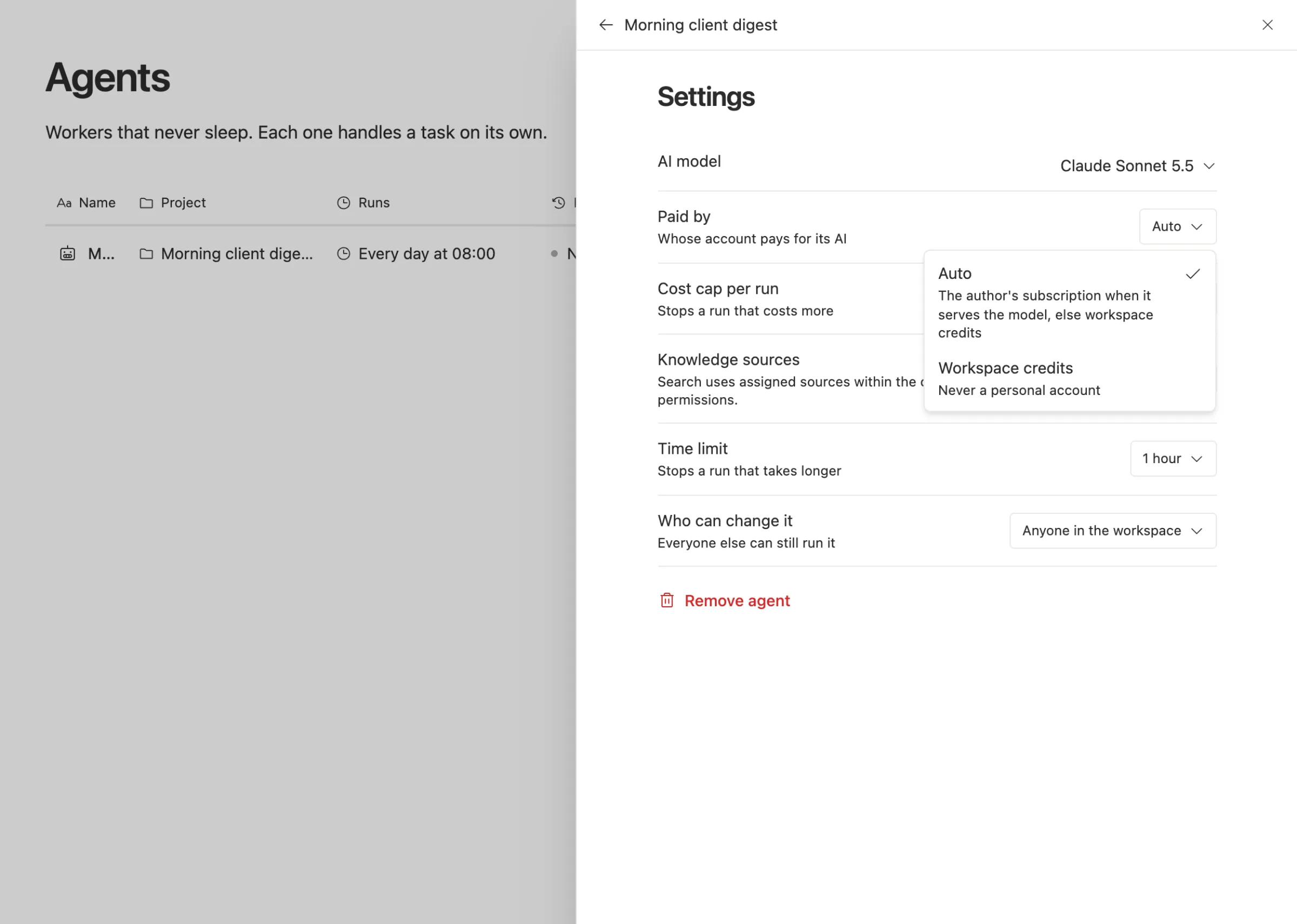
2. Pick a small model for it. Each agent has its own AI model setting. Put the daily digest on a small model and keep the big one for your own work.
3. Choose who pays. Every agent has a "Paid by" setting. Auto uses the author's connected AI subscription when it serves the model, and workspace credits otherwise. Or pick workspace credits only, so it never touches a personal account.
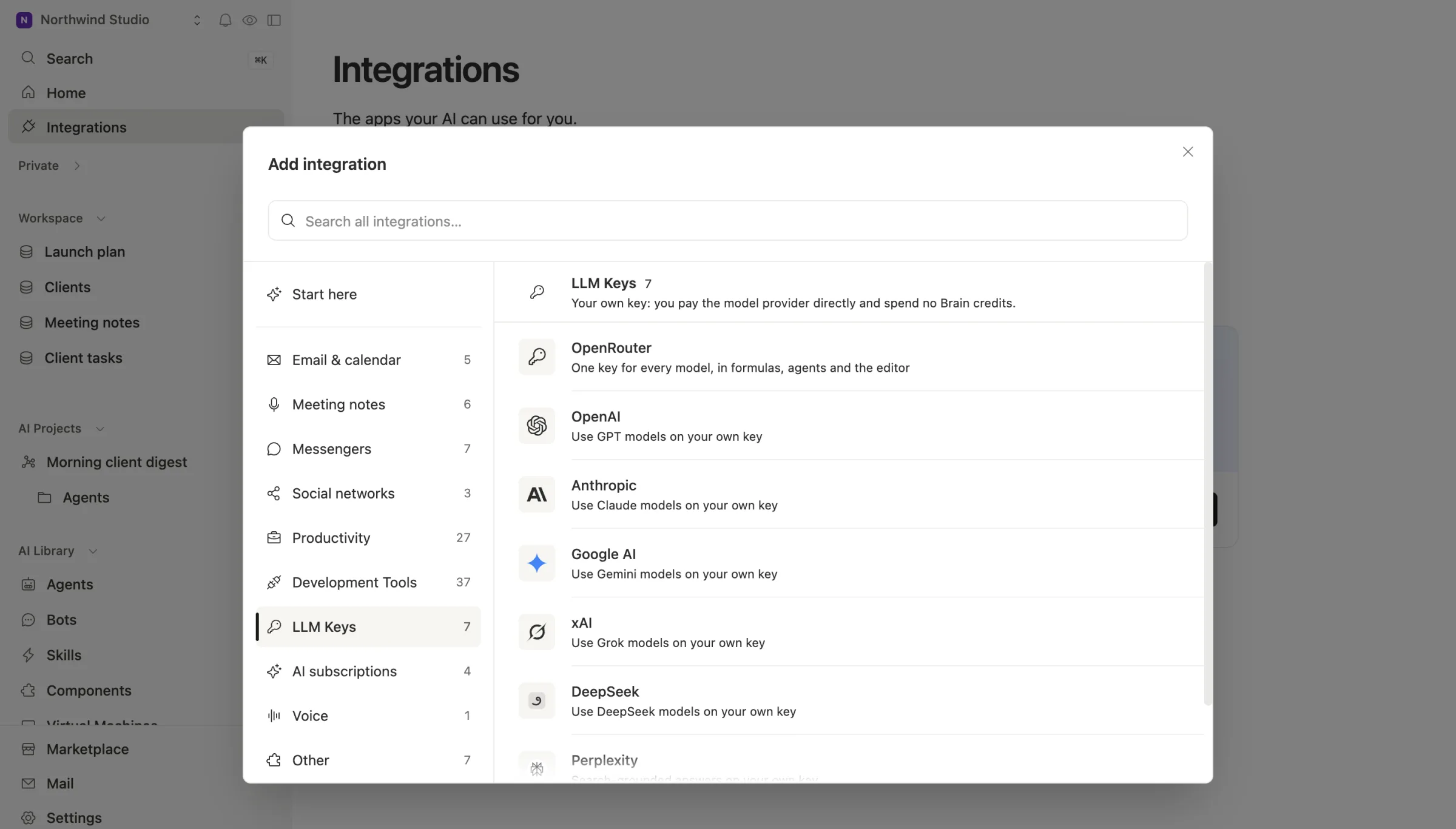
4. Or bring your own key. Connect your own Anthropic API key, choose it as the agent's key, and the agent runs Claude models on it. You pay Anthropic directly at API prices and spend no Team Brain credits.
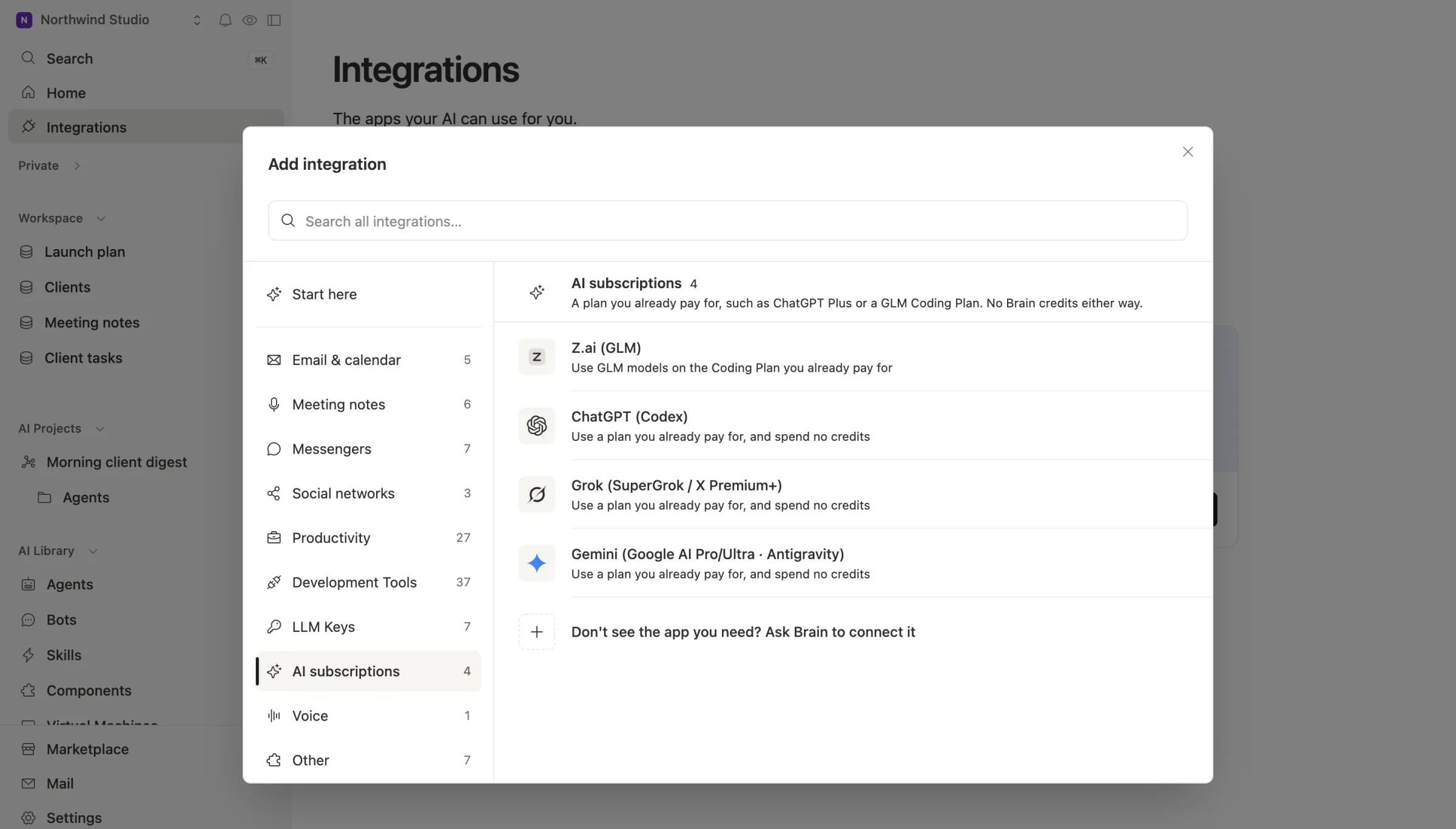
If you already pay for another AI plan, you can connect that too. Team Brain works with ChatGPT, Grok, Gemini and GLM plans today. It doesn't connect to a Claude plan, which is exactly the point here: your Claude limit stays for you.
5. Cap it. Give each agent a cost cap per run and a time limit, so a loop can't surprise you.
The workspace itself is free for any number of people and agents. You pay only for the AI you use, or nothing to us at all if you bring your own key. See our pricing.
Common questions
Do Claude chat and Claude Code share one limit? Yes. Anthropic's help page says usage across claude.ai, Claude Code and Claude Desktop counts toward the same limit.
How many messages do I get? The help page doesn't give a number. It depends on chat length, features, model and effort.
Is upgrading to Max the fix? If your limit goes to hard work, it can be. If it goes to repeat jobs, move those first and see if you still need it.
Can Team Brain use my Claude subscription? No. It can use your own Anthropic API key, a ChatGPT, Grok, Gemini or GLM plan, or workspace credits.